Security and gated communities
Biometric locks and security automation
Biometric locks: how they work, types (fingerprint, facial, PIN code, app), advantages, precautions and integration with home automation in a high-end home.
By Pedro Carvalho and Fernando Moreno
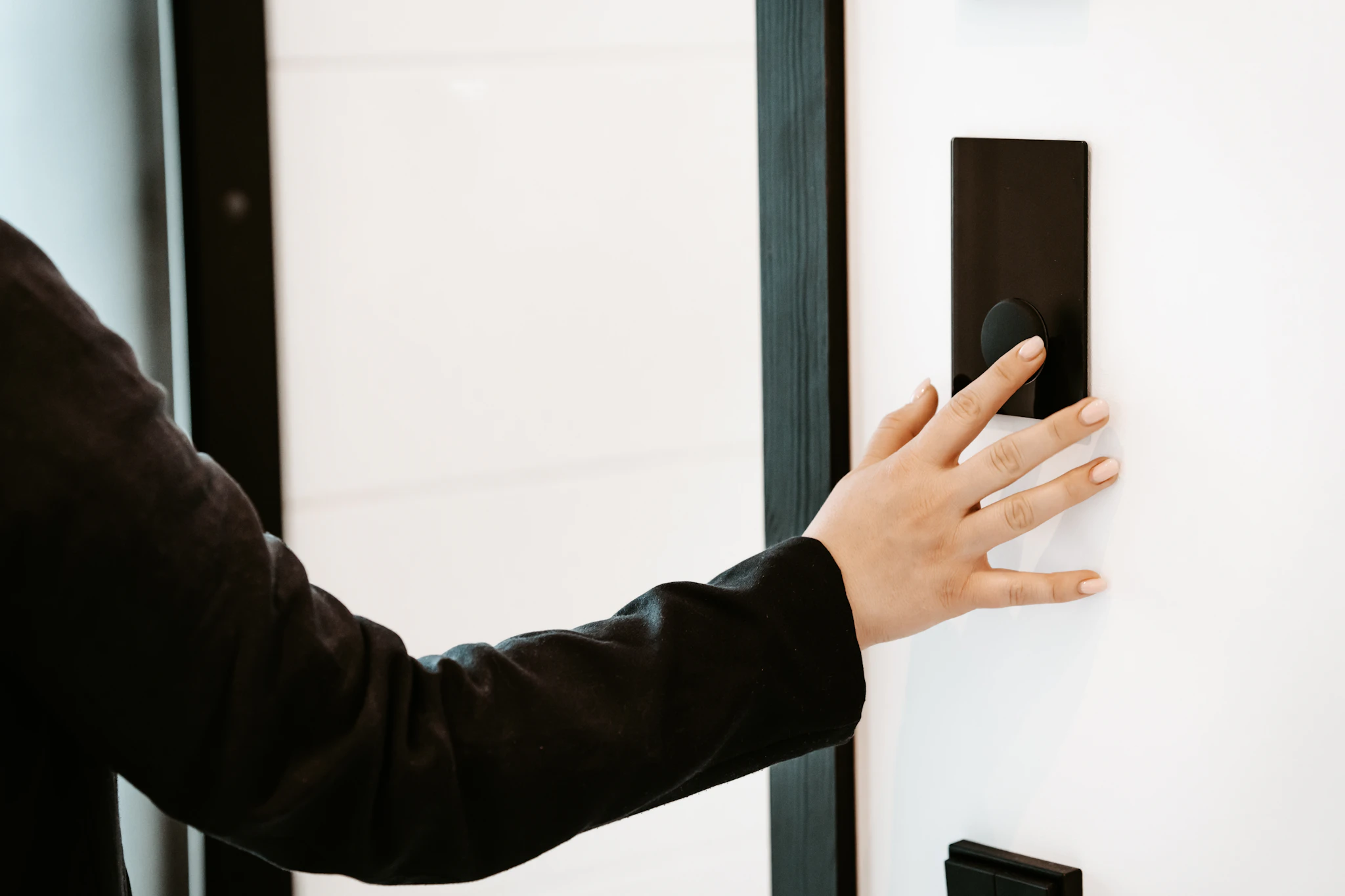
Quick answer: a biometric lock opens the door with your fingerprint (or face), doing away with the key and offering convenience and control: you decide who has access, create temporary codes and track access logs. Modern electronic locks combine several modes — fingerprint, PIN code, tag, app and backup key — and integrate with the home's security automation (alarm, presence simulation, scenes). It is a discreet item that raises the protection of the unit without turning the property into a fortress.
The key's days are numbered in the high-end market. A biometric lock combines security and convenience: no more losing keys, making copies or worrying about a lock being forced the traditional way. But there are criteria for choosing one and precautions to take. Here is the complete guide, within the context of security in high-end properties in Curitiba.
How a biometric lock works
A biometric lock uses a unique physical trait — usually the fingerprint, sometimes the face — to open the door. The user registers their fingerprints; when they touch the sensor, the lock recognizes them and unlocks. Because it does not depend on a physical key, it eliminates risks such as unauthorized copying, loss and the weakness of old mechanical cylinders. Registering and managing users is usually done on the lock itself or through an app.
Types of electronic lock
Modern locks rarely have just one mode — they combine several ways of opening:
| Access mode | How it works | Good for |
|---|---|---|
| Biometrics (fingerprint) | Touch of a finger on the sensor | Daily use, practical and secure |
| Facial recognition | A camera identifies the face | Touch-free access |
| PIN code (keypad) | Numeric code | Visitors, easy to change |
| Tag / card | Proximity | Children, service providers |
| App (Wi-Fi/Bluetooth) | Opens from your phone, remotely | Granting remote access |
| Physical key (backup) | Traditional cylinder | Emergencies / power outages |
Having multiple modes is an advantage: the resident uses a fingerprint day to day and issues a temporary code for a visitor, for example.
Advantages in the high-end segment
- Convenience: getting in without a key, with your hands full, is real convenience.
- Access control: add and remove users, create temporary codes for service providers and track logs of who came in and when.
- Security: eliminates key copying and makes forced entry harder; quality models have a robust bolt.
- Integration: works with home automation and the smart home ecosystem.
Precautions before installing
Every technology calls for attention to a few points:
- Power and backup: electronic locks run on batteries; check battery life, the low-battery warning and the emergency key or external power supply in case of failure.
- Digital security: connected models (Wi-Fi/app) must have good protection against hacking — choose reliable brands and keep the app updated.
- Quality of the mechanical bolt: the electronic part is the "brain," but the physical sturdiness of the bolt matters just as much.
- Compatibility with the door and installation by a professional.
Choosing well avoids the frustration of a "smart" but flimsy lock.
Integration with security automation
The big leap comes when the lock stops being a stand-alone item and becomes part of home automation:
- Scenes: when you unlock the door, the house can turn on the lights, disarm the alarm and adjust the climate control ("arriving home scene").
- Presence simulation: integrated with the lighting, it simulates that someone is home while you travel.
- Alerts: phone notifications for every access, with a log.
- Integration with the front desk: in gated communities, it connects the unit's access to the building's access control, creating a security network.
Automation turns locks, sensors and cameras into a single system, managed from your phone.
What is worth installing in the unit
For balanced protection, prioritize: a biometric/electronic lock with a backup key, an alarm with motion and door/window sensors, CCTV with cloud recording, automated lighting (it simulates presence) and app integration. Discreet technology protects without compromising comfort — and works with the building's front desk and access control, completing the layers of security.
Questions people also ask
What are the types of biometric and electronic locks?
The most common ones open by fingerprint, facial recognition, PIN code, card or proximity (tag), and many models combine several of these methods with a backup physical key. In the high-end segment, the priority tends to be models that accept more than one way of opening, to balance the family's security and convenience. The choice depends on how it will be used and on the sturdiness of the mechanical bolt.
What is the difference between a digital lock and a smart lock?
A digital lock does away with the key (it opens by PIN code, fingerprint or card), while a smart lock goes further: it connects to Wi-Fi or Bluetooth and is controlled through an app, with remote access and a log of who came in. Every smart lock is digital, but not every digital lock is connected. To integrate with home automation, the smart version is the one you want.
Does a biometric lock work well for children and older people?
Yes. Since the models accept several methods (fingerprint, PIN code, tag or app), simpler options can be set up for those who have trouble with fingerprint reading. You can create individual and even temporary access — useful for housekeepers and service providers —, with a log of every entry. This flexibility is one of the advantages over a traditional key.
Can I install a biometric lock in an apartment?
Yes, and it is increasingly common on the front door of high-end units. In buildings, it is only worth checking with the management for any rules on the fire door and the standardization of the hallway doors. Installation does not require major work and works with the building's own access control.
Frequently asked questions
How does a biometric lock work?
It uses a unique physical trait — usually the fingerprint, sometimes the face — to open the door. The user registers their fingerprints and, when they touch the sensor, the lock recognizes them and unlocks, doing away with the physical key and the risk of copying or loss.
Is a biometric lock secure?
Quality models are secure and eliminate the vulnerabilities of a traditional key (copying, simple forced entry). The precautions are to have a backup key/power supply for power outages and, in connected models, good digital protection. The sturdiness of the mechanical bolt matters as much as the electronic part.
What happens to an electronic lock if the power goes out?
Most run on batteries and warn you when they are low; many have an emergency physical key or an external power point to unlock in case of failure. That is why having a reliable backup is an important criterion when choosing one.
Is it worth integrating the lock with home automation?
Yes. When integrated, the lock triggers scenes (turning on lights, disarming the alarm when you arrive), simulates presence while you travel, sends access alerts to your phone and, in gated communities, connects to the front desk's access control — creating a cohesive security system managed from the app.
Looking for a high-end property ready for a smart home? At Antológica you will find developments in Curitiba with infrastructure for automation and security. Talk to Antológica or see how we work.
Download for free the Buyer's Guide to High-End Property in Curitiba: neighborhoods, costs, paperwork and a checklist of what to evaluate before you buy.
Content produced by Pedro Carvalho and Fernando Moreno, partners at Antológica and specialists in Curitiba's high-end real estate market.